A pledge is money you promise to pay if you don't finish a task by its deadline. It's there to help you follow through.
Needs the Accountability Pledge feature.
Making a pledge
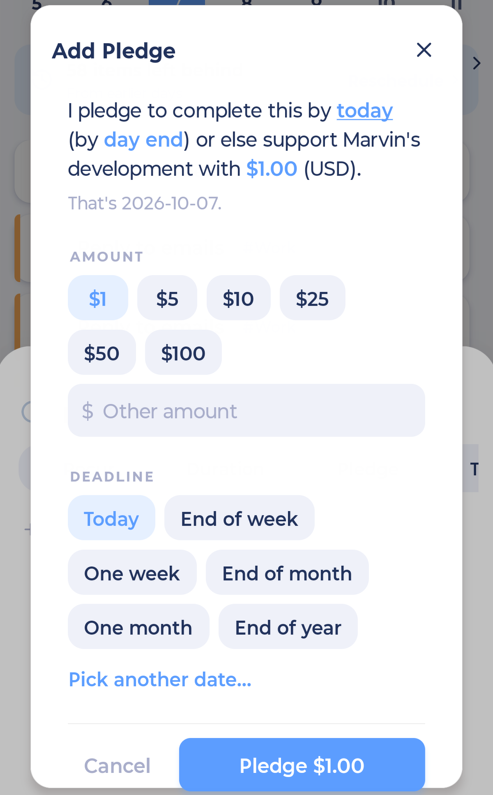
Swipe a task left and tap Add Pledge, or open the task and tap the Pledge pill.
Set the amount and the deadline.
Confirm.
Once a pledge is made, it can't be changed or removed. That's what makes it work.
Your pledges
Open More > Pledges. You'll see:
your balance (what you owe)
what's at stake right now
your history
Paying
If you miss a pledge, the amount is added to your balance. Paying happens on the web: tap to pay and Marvin opens the web page in your browser. You can also save a card there for automatic payment.
While you owe $1 or more, you can't make new pledges until you pay.
If you owe on more than 20 pledges, one payment covers the oldest 20 pledges, and you'll pay in multiple rounds. See Paying for several missed pledges for details.