Undo
Most things you do show a short message at the bottom of the screen, like Completed, Scheduled for today or Deleted. Tap Undo to reverse it.
The Trash
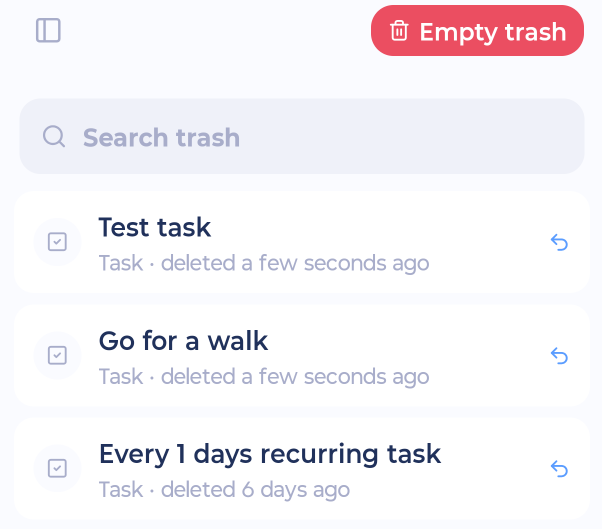
Deleted tasks and projects go to the Trash first.
Open it from sidebar > Account & Settings > Trash. You can also tap the "Deleted" message right after deleting something.
Use Search trash to find something.
Tap an item and choose Restore to bring it back, or Permanently Delete.
Empty trash at the top deletes everything in the Trash for good. Marvin asks you to confirm first.
Deleting a project
When you delete a project, Marvin shows what will be deleted with it and asks you to confirm.