Open More > Timers.
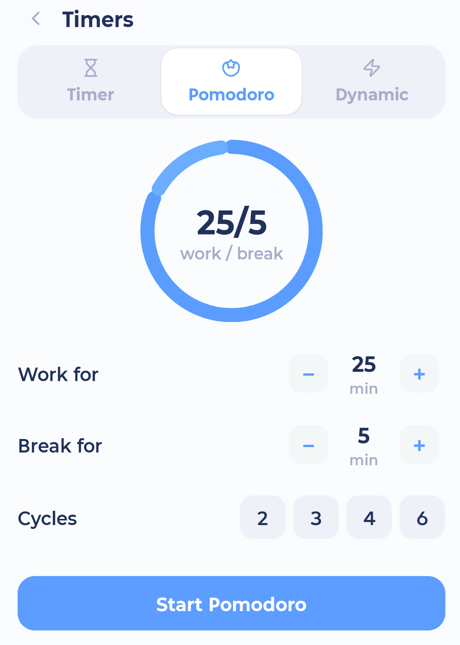
Types of timer
Timer: a simple countdown.
Pomodoro: work and break cycles.
Dynamic: counts up while you work, and gives you a break based on how long you worked. Choose the break ratio (from Equal to 1:6).
Use Pause, Resume, Restart and Delete. When a work period ends, tap Start Break.
While a timer runs, a small pill shows it on other screens.
On your Lock Screen and home screen
On iPhone, running timers show on the Lock Screen and in the Dynamic Island.
On Android, they show as a notification with a Stop button.
You can also start timers from a home screen widget. See iPhone widgets and Android widgets.