The mobile app sometimes gets stuck on the splash screen or takes a very long time to load. This usually happens if your local database has become very large, which can happen if you've been using Marvin for several years or if certain bugs have caused old data to accumulate.
Solution: Database cleanup and factory reset
If your database is large, the best solution is to do a factory reset, which clears out old data you no longer need. Here's how:
Warning: This process deletes your local mobile app data and rebuilds it fresh. Following these steps carefully will preserve all your tasks and information.
Delete the mobile app
Open your device's app settings
Find Amazing Marvin
Select Uninstall or Remove
Do a Sync Health Check
Make sure you're signed into the web or desktop version of Marvin
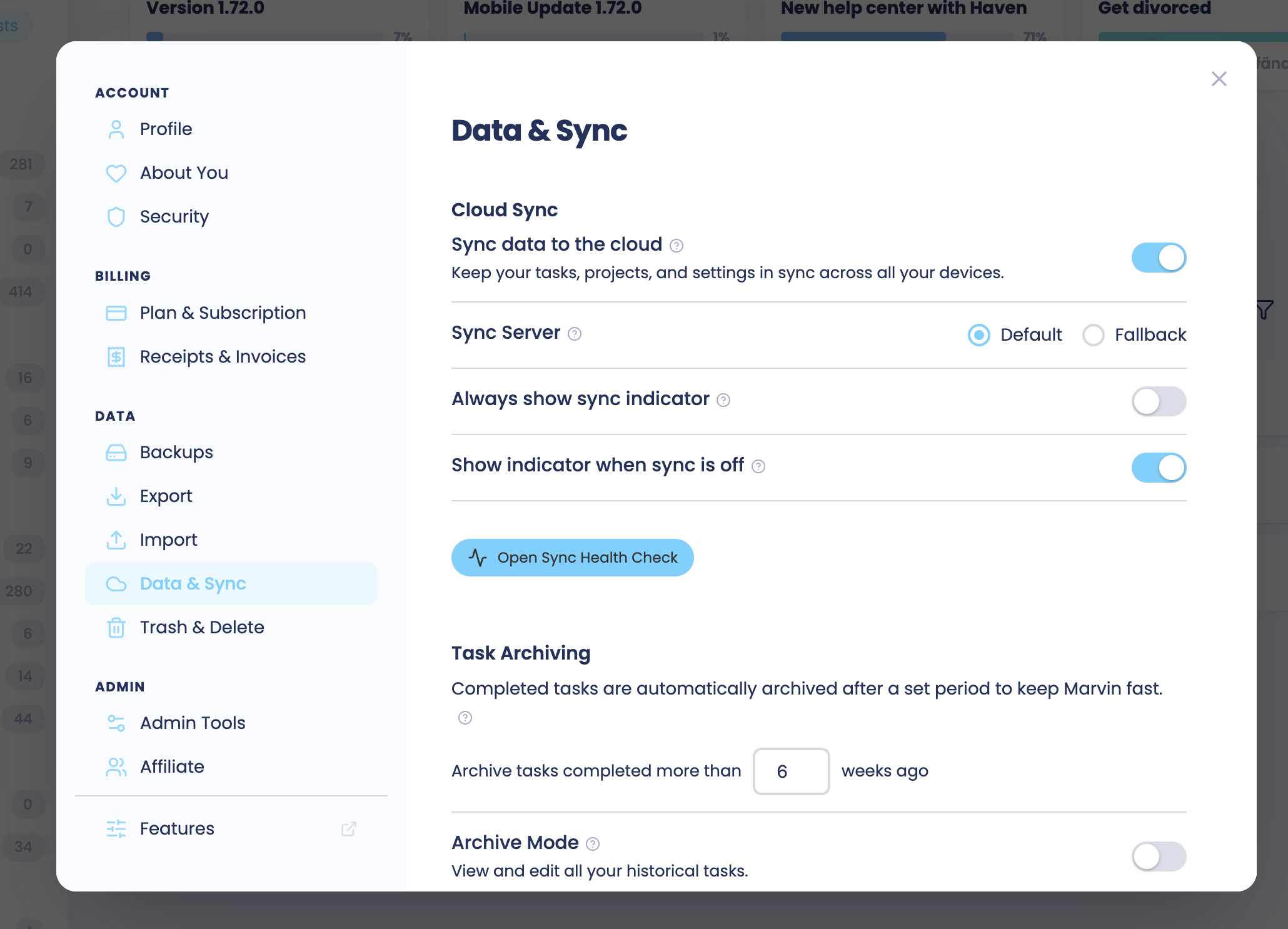
Verify your data is synced to the cloud (go to Account > Data & Sync and do the Sync Health Check)
Your tasks, projects, and settings are safe in the cloud; they won't be deleted
Back up your data
In the web or desktop app, go to ☰ > Account > Backups
Under Create Backup, click Create Backup, then Back up
Check that the backup file is saved on your computer before you continue.
Do a factory reset
Go to the web app or desktop app
Open Account > Trash & Delete
Look for Factory Reset at the bottom of the page
Wait until the account is cleaned up
Upload the backup
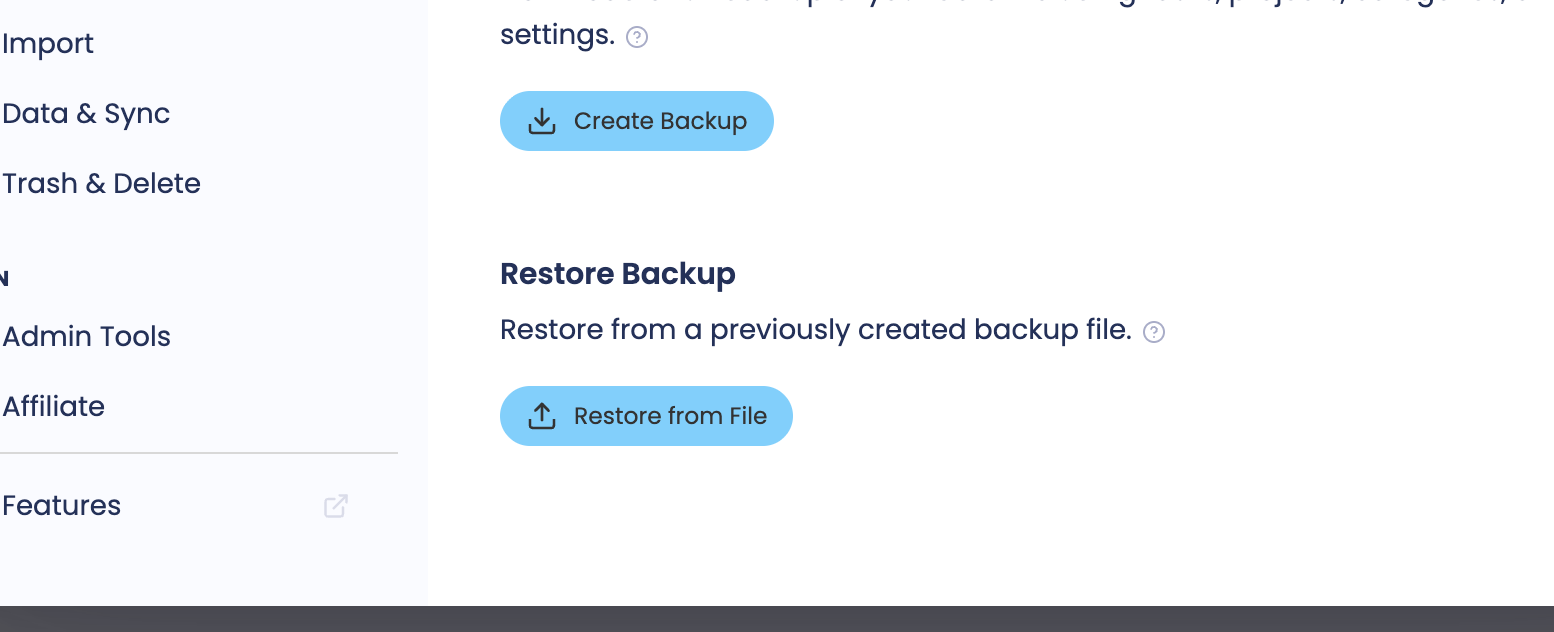
Under Account > Backups click the "Restore from File" button and upload the backup file
When resetting, you'll have the option to only restore data from the last 6 months or a year
This is recommended: it removes old completed tasks, deleted items, and archived projects from before 6 months ago, which saves significant space
Any project or task that's still open will come back, so you won't lose anything active
This rebuilds your database fresh, without the accumulated bloat
Reinstall the mobile app
Go to the App Store (iOS) or Google Play (Android)
Search for Amazing Marvin
Tap Install or Get
Sign in with your account
The app will download your fresh database
The mobile app should now load quickly and smoothly.
Why this happens
Marvin stores data locally on your device for fast access and so it works offline. Over time, bugs or normal usage patterns can leave old versions of documents in the database that never get cleaned up. On older devices or with very old accounts, this can grow to be quite large. And a large database with large files sometimes has trouble loading onto a mobile phone as there are limits. We're working on improvements to prevent this in the future.