Overview
When you open a project or category in the main view, Marvin shows where it lives right above its title, like All > Work > Clients. This is handy when you have similar project names in different places. It's on by default.
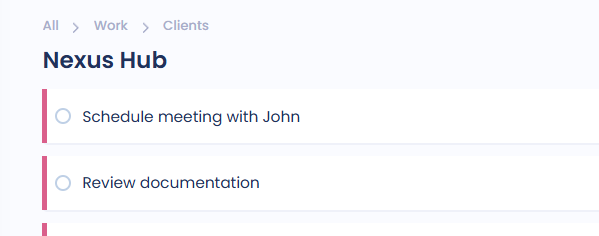
Using breadcrumbs
Click a parent category or project in the trail to open it in the main view.
Click All to open the Master List.
Breadcrumbs aren't shown for the Inbox.
Turning it off
There are two ways:
Hover over the breadcrumbs and click the small gear at the end, then switch off Show breadcrumbs.
In Settings, go to Layout > Breadcrumbs.
To turn them back on, use Layout > Breadcrumbs in Settings.
This setting is for the web and desktop app. Breadcrumbs inside the Master List have their own switch in its View Options.