Overview
There's a step-by-step wizard for adding a habit, a Quick Add for typing several at once, and a habit can now show up in your day list as a normal task. Ticking that task off records the habit.
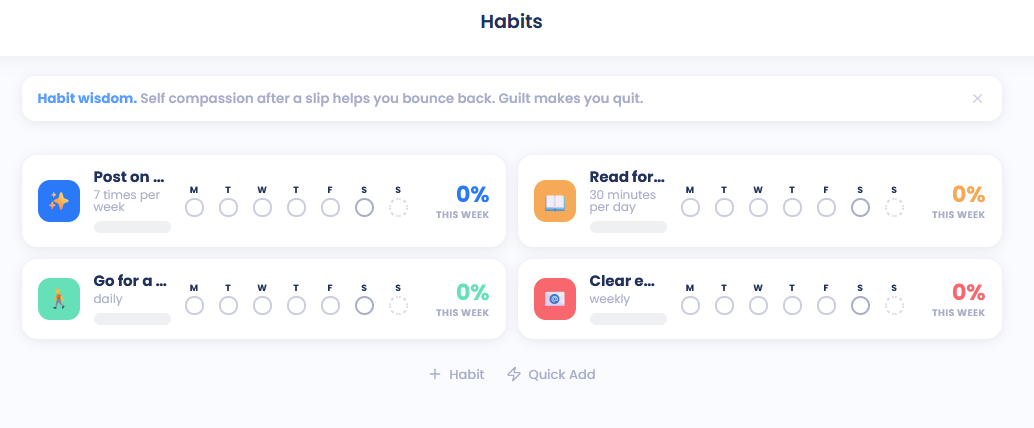
Add a habit with the wizard
Open your habits (press H), then click Habit at the bottom of the list, or press A. If you don't have any habits yet, click Add a habit.
Choose what you'd like to do. Just track it is available now. Build something and Reduce or quit are marked Coming soon.
Name the habit.
Choose how often you're logging it.
Choose how it should show up (see below).
Set reminders if you want them.
Check the summary and click Add habit.
Quick Add
At the bottom of the Habits screen, click Quick Add, type a habit and press Enter. The field clears so you can type the next one. Press Esc to close it.
You can add how often in plain words at the end, for example:
"Drink tea daily"
"Run mon/wed/fri"
"Stretch every 2nd day"
"Read 3 times a week"
"Tidy up weekdays" or "Garden on weekends"
"Call mum weekly" (also monthly, quarterly, yearly)
With no "how often", the habit is daily. Quick-added habits show up wherever Show new habits as in the Habits settings says.
Show as
In a habit's Basics tab, Show as decides where it appears. Pick as many as you like:
As a task: a task in your day list on the habit's days.
Top of the day: a row of habits above your lists.
Bottom bar: a quick pill in the bottom bar.
Calendar: in your calendar. Set a time under In the calendar, show at, or leave it empty for an all-day item.
On mobile you'll find As a task in the habit's settings too.
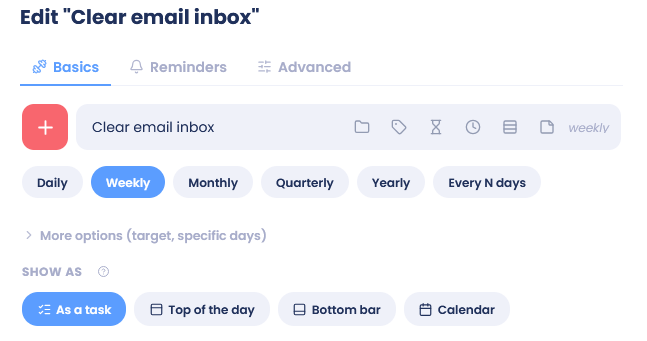
When a habit shows as a task
It appears in your day list on the habit's days. You can reorder it, schedule it or add it to the task jar like any other task.
Checking it off records the habit. Recording the habit somewhere else checks the task off once you reach the goal, and undoing the record reopens it.
It never piles up. If you miss it, it moves on to the habit's next day instead of staying behind as an overdue task. A Mon/Wed/Fri habit missed on Monday waits for Wednesday.
A weekly or monthly habit without set days follows you from day to day until you do it.
Turn As a task off and the task goes away.
Reminders tab
In a habit's Reminders tab:
Send reminders to my phone and Notify me on desktop and web.
Send at: one or more times. Click Add another for more. Reminders come on the habit's days.
Send a test checks that reminders reach you.
Bug me: keeps reminding you until you do it. Choose how often under Bug me every, or type your own number of minutes.
Reminder text: what the notification says.
Phone reminders need the Reminders feature turned on.
Tip: Want your habits in your task list from now on? Pick As a task under Show new habits as in the Habits settings.