Voice input
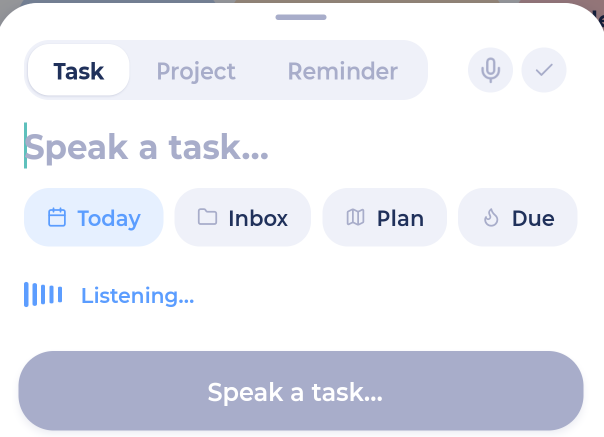
Tap the microphone at the top right of the add sheet and just speak. You'll see Listening... while Marvin hears you.
The microphone shows when Voice Input is on (it's on by default). You can change its language in More > Features > Voice Input.
Saying several tasks in a row
In Add multiple mode, say your new-task word between tasks. By default it's "next". For example: "Buy milk next call mom next book dentist" adds three tasks. You can change the word in the Voice Input settings.
Brain dumps
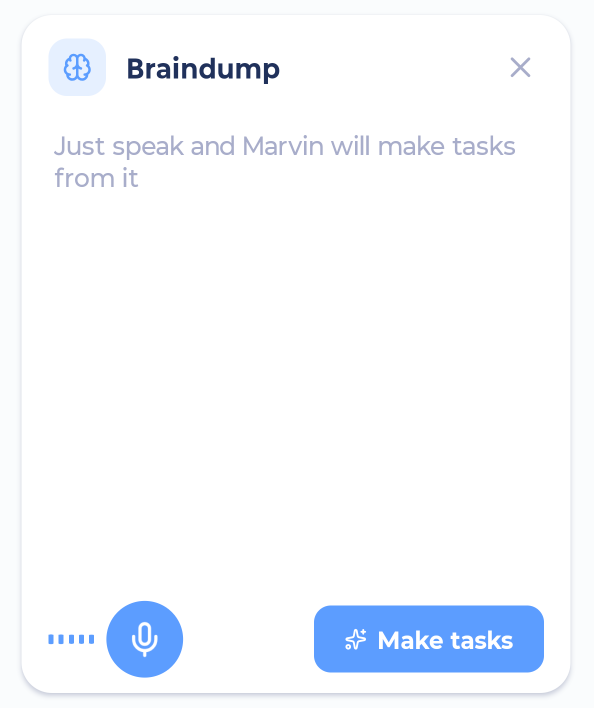
A brain dump is for when your head is full. You type or say everything at once, and Marvin sorts it into separate tasks for you.
From the add sheet
Open the add sheet with +.
Tap the mode button at the top right until you see Brain dump.
Type freely or tap the microphone and talk.
Tap Add tasks.
From the Home screen
Add the Brain dump block to your Home screen. Tap "Get it out of your head..." to start, or the microphone to talk.
Make tasks lets Marvin sort what you wrote into tasks.
Add tasks adds one task per line, just as you wrote them.
Tasks from the Home brain dump go to your Inbox.
Reviewing what Marvin made
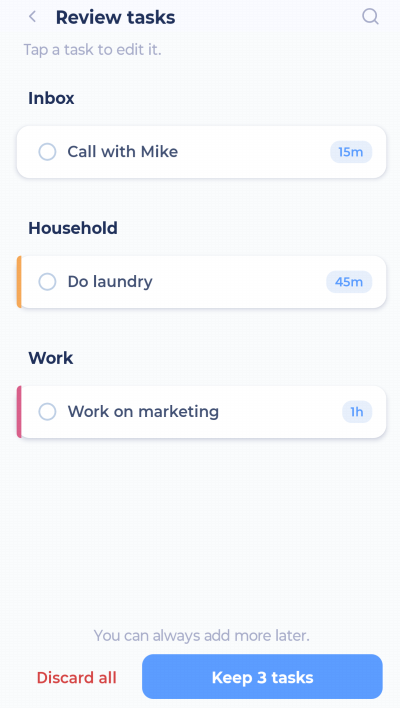
When Marvin sorts your dump, you'll see a review screen with the tasks and projects it found.
Tap a task to change it.
Tap Keep N tasks to keep them all.
Tap Discard all to throw them away.
Tips
One thought per line works best when typing.
Say "that's a project" after something bigger to make it a project.
Shortcuts like
#homeand+tomorrowwork inside a brain dump too.If Marvin can't sort your dump (for example, when you're offline), it adds one task per line instead.
Brain dumps also work from a phone widget and from Siri. See Phone Widgets and Integrations.