Overview
Your account page is where you manage everything about your Marvin account: your profile, security, subscription, invoices, backups and data. It's split into clear sections so you can find things quickly, and you can download invoices yourself whenever you need them.
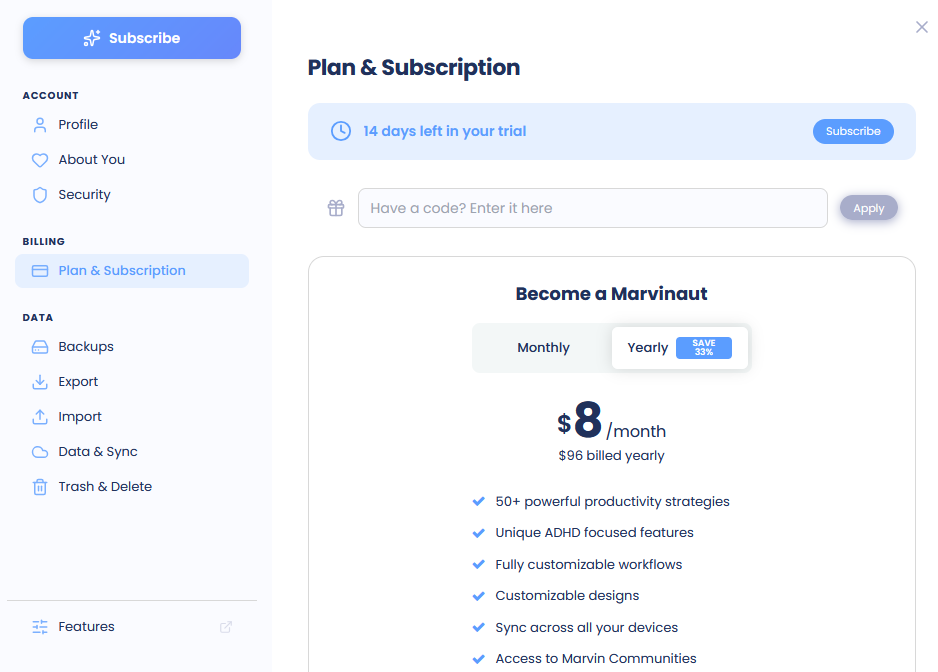
Opening your account page
Open ☰ and click Your account at the top of the menu.
The sidebar on the left has three groups:
Account: Profile, About You and Security (for example Change Password, Change Email and Two-Factor Authentication).
Billing: Plan & Subscription and Receipts & Invoices.
Data: Backups, Export, Import, Data & Sync and Trash & Delete.
At the bottom, Features takes you to Marvin's features.
Downloading invoices
Open ☰, click Your account, then click Receipts & Invoices.
In the Billing Portal box, click Open Portal.
The billing portal opens in your browser. There you can download invoices, set your billing address, and add a company name and tax ID.
The billing portal is run by Stripe, our payment processor. Any billing address and tax details you add there will appear on your invoices.
Screenshot to add: The Receipts & Invoices page with the Billing Portal box and Open Portal button
Seeing your payment history
Under Payment History, click Load Payment History to see your past payments with their date and status. Click PDF to download an invoice, or View to open it in your browser.
Who sees Receipts & Invoices
Receipts & Invoices shows for monthly and yearly subscriptions paid by card. It isn't shown during your trial or for lifetime plans. If you subscribed through the iPhone app, invoices aren't available here.
Tip: Add your company name and tax ID in the billing portal before downloading an invoice, so it's ready for your bookkeeping.