If you're already using Custom Sections in the web or desktop version of Marvin, you can also use them in the mobile app to organize your tasks.
To display Custom Sections on mobile, follow these steps:
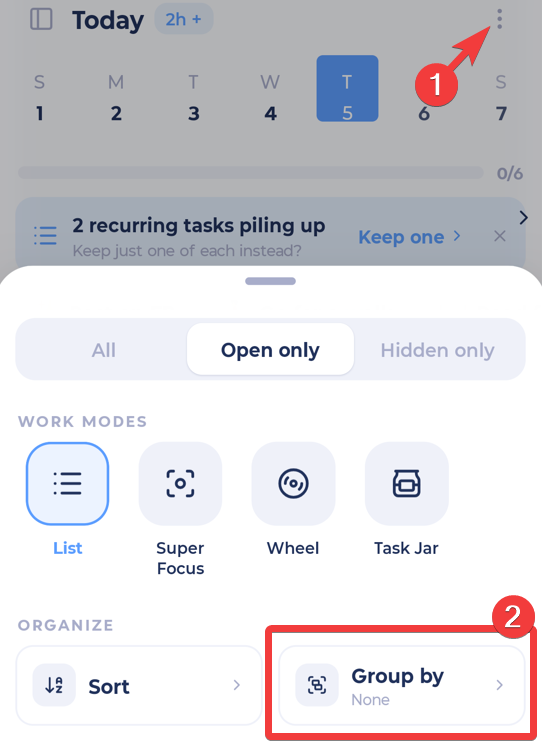
Open the mobile app and tap on the menu button in the top-right corner, then select Group By.
Select Custom Sections from the list of grouping options.
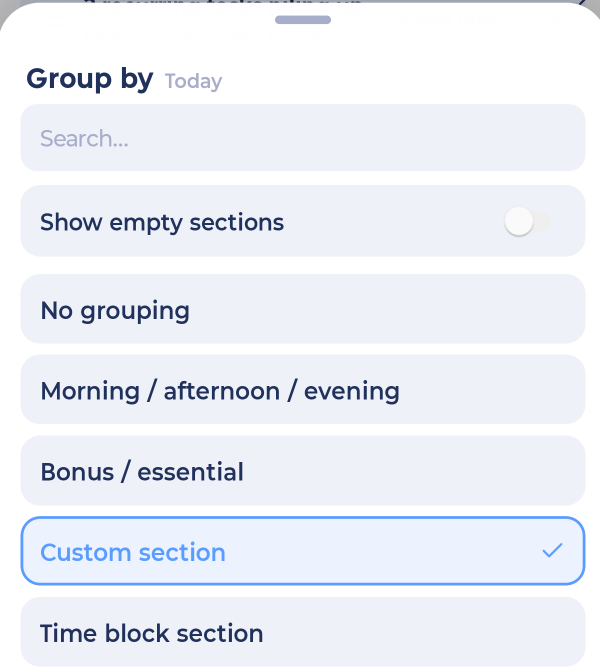
Once selected, your tasks will be grouped into your Custom Sections in the mobile app.
Note: Make sure your Custom Sections strategy is already configured in the web or desktop app.