When you create a Smart List based on a category or label it often includes a recurring task. If that recurring task creates its copies ahead of time, you can end up with a lot of the same task in the list.
But if you want to work from this list (via the Matrix, custom sidebar etc.) you only want to see one instance of the task. And only if the task has already become available to work off. So a recurring task that is scheduled for next week should not show up either.
To solve this you want to create an advanced filter that only shows you tasks that are either unscheduled (to include all the tasks from the Master List) or scheduled for either today or before (to only take the available instances of the recurring task!).
Add this to the advanced filter:
isRecurring scheduleDate today <= && isUnscheduled ||
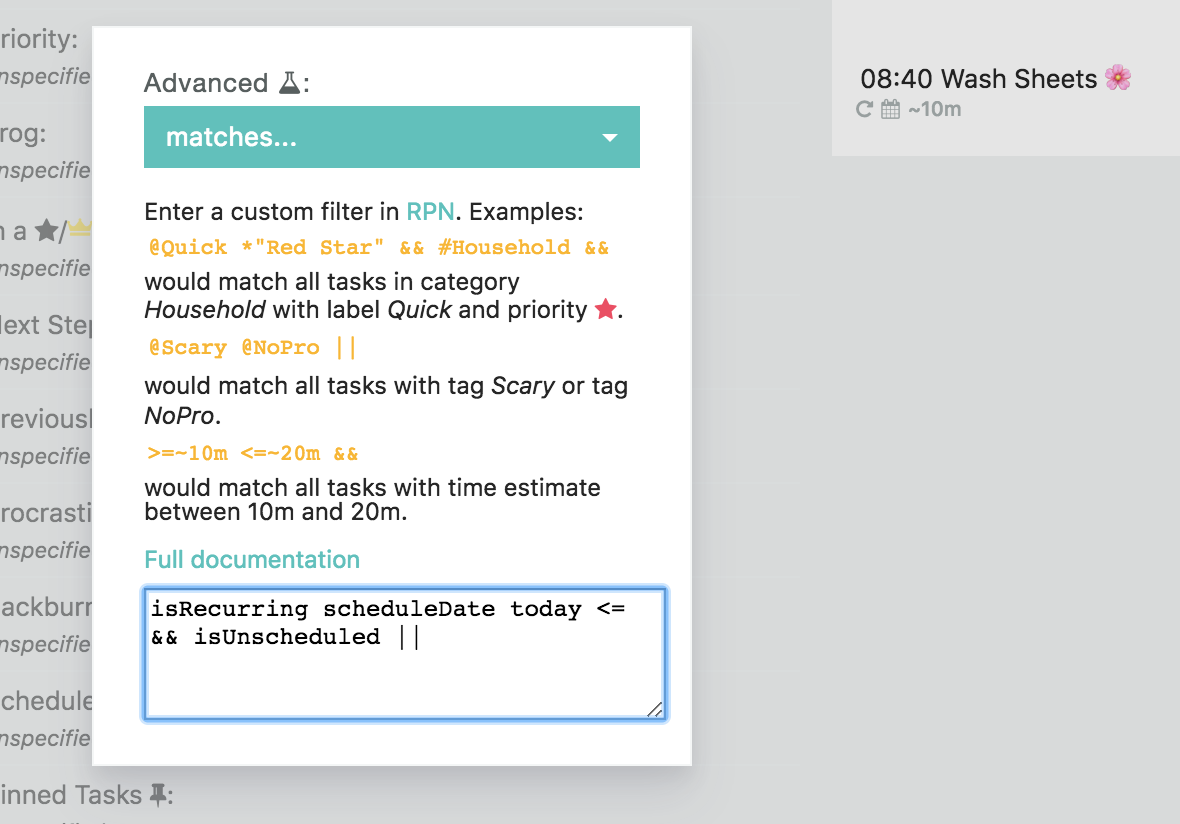
This works because recurring tasks are always scheduled by default.
the additional filter that now gets applied only shows you recurring tasks that are either scheduled before or for today (today <=).
Filter out all tasks scheduled in the future
Similarly you can remove the "isRecurring" to not see any tasks that are scheduled for the future, not just recurring tasks!
Add this to the advanced filter instead:
This will give you everything either scheduled for today or before or anything unscheduled.
Use the other filters as normal. All the filters by default use the AND operator. So a task or project has to pass ALL the filters for it to get shown.
Alternative
The other alternative that works in some instances is to change the recurring pattern of the task so the next instance only shows when you check off the previous one.
Depending on the recurring task this makes sense or not.
You can also change two settings in the recurring task settings: set Create occurrences to On the day so no future copies are made, and set If you miss one to Keep just one or Only the current one so missed copies don't pile up. New recurring tasks start on On the day and Keep just one unless you changed your defaults.