Example: Let's say you want to change your sheets ideally every 7 days but no more than every 12 days. How do you set this up in Marvin?
Set up
Open the main menu and click Recurring.
Then click Add Recurring Task.
Depending on the repeat pattern you need for your task you select a different repeat option:
Specific time window in a month or week
If the time window for a task is specific to a day in a month or week, use the Monthly or Weekly pattern.
Time window repeats in regular intervals
If the time window repeats in a regular interval regardless of when you actually completed the last task, use the Every X days pattern.
Time window repeats based on when you last completed the task
If the time window is specific to when you last checked off the task, use the After completion pattern.
How to make it a "time window"
To give yourself a specific window of time where you can do the task, you set the first day you can do the task as part of your repeat pattern. In our example, this would be After completion with 7 days. This makes sure the task shows up on the first day you can do it, which is 7 days after you last changed your sheets.
To set the last possible day you can do the task (the end of your window), give the recurring task a due date. In its settings, under Deadlines for each one, turn on Hard deadline (due date) and choose how many days after the scheduled day (the first day of the window) it is due.
So if you have a 3 day window to do a task, set it to be due 3 days after the scheduled day.
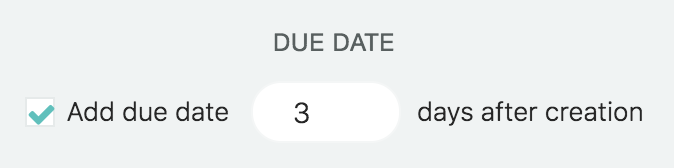
In our "change sheets" example we would specify a 5 day window (12-7 = 5) instead.