Needs the Habits feature. Open More > Habits.
Adding a habit
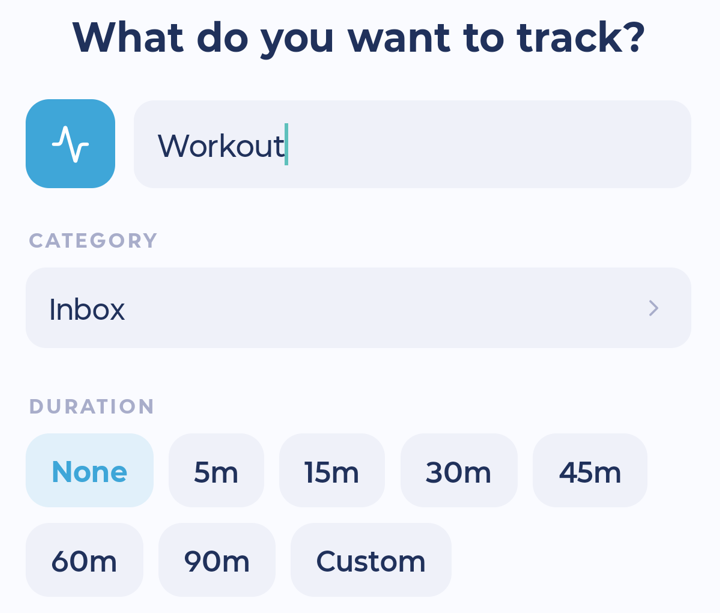
Tap + on the Habits screen. A short wizard walks you through it, one question at a time. Tap Continue to go on and Add habit at the end.
What would you like to do? Choose Just track it. (Build something and Reduce or quit are marked Coming soon.)
What do you want to track? Give it a name, like "Cups of water". Turn on Track an amount if you want to record a number.
How often do you want to do it? Daily, Weekly, Monthly or Every N days. You can pin it to certain days.
How should this show up?
Want a nudge? Add a reminder if you like.
All set: check everything and tap Add habit.
Recording a habit
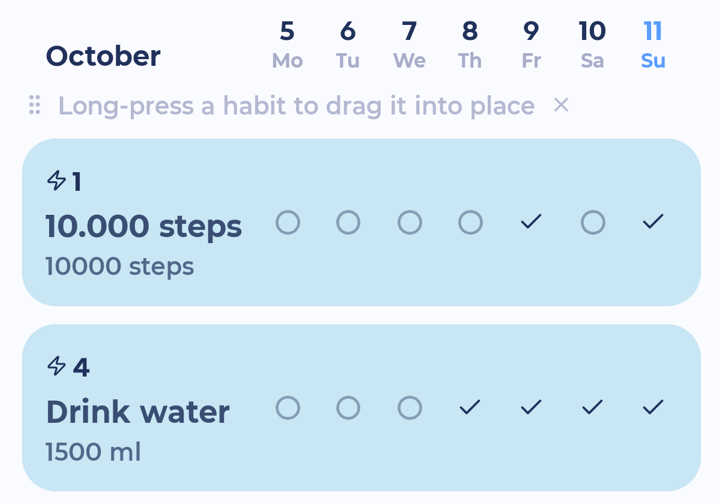
Tap a habit to record it for today.
Or tap its pill above My Day or on your Home screen.
Habits with an amount (like glasses of water) ask you for the number.
More options
Press and hold a habit for: Record today, Edit, Undo last, Edit history, Stats, Reset, Archive and Delete.
Views
Tap the sliders button at the top right for View options:
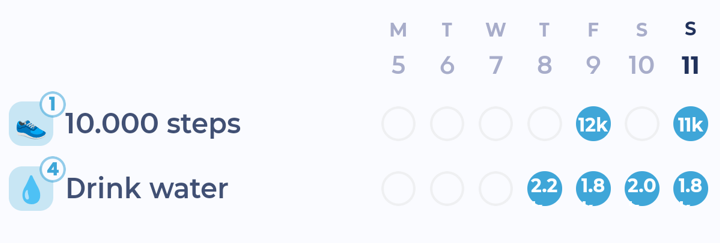
List, Table (habits down the side, days across) or Calendar (tap a day to tick off that day's habits)
Sort, group by, list style, and Show archived habits
To reorder, press and hold a habit and drag it (with the manual sort).
Turn your phone sideways in Table view to see more days.
Habits above your day
The habit pills above My Day use the icon you picked for each habit. Tap a pill to record it. Tap the cog at the end of the row to change how the pills look.
Habit widgets
You can put habits on your phone's home screen and tick them off without opening the app. See iPhone widgets and Android widgets.